
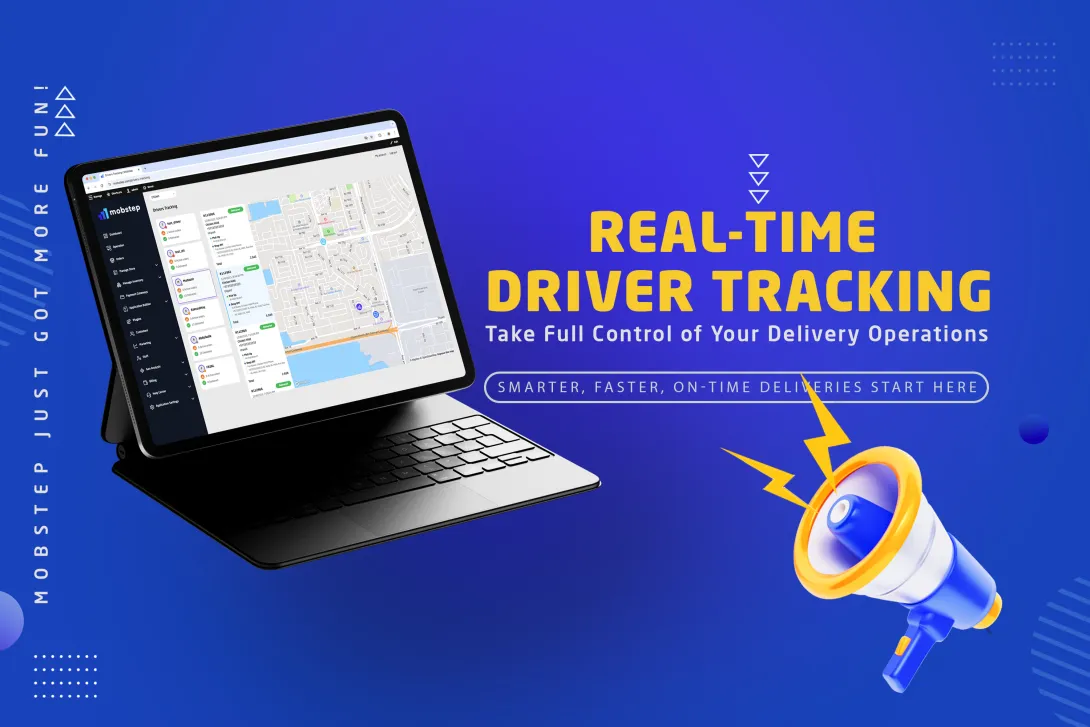
Mobstep is proud to introduce the Real-Time Driver Tracking, a real-time tracking and dispatch visibility tool built to give businesses precise control over last-mile delivery. Designed for logistics and operations managers, restaurant owners, and enterprise partners, this plugin consolidates drivers, orders, and branch locations into a single, easy-to-use map-and-list interface. The result: faster decisions, better utilization, fewer late deliveries, and higher customer satisfaction.
Why Real-Time Driver Tracking matters
Deliveries are the final direct interaction between a business and its customer — and the one that most directly shapes satisfaction and repeat orders. Real-time visibility reduces uncertainty for both operations teams and customers, minimizes costly delays, and helps managers make proactive decisions. For multi-branch businesses and delivery fleets, visibility drives measurable improvements in on-time performance, reduces idle driver time, and lowers support overhead.
Key benefits
- Operational control: Live oversight of drivers and orders from a single screen.
- Faster decisions: Spot delays and re-route drivers proactively.
- Higher utilization: Balance workloads using live driver metrics to reduce idle time and increase deliveries per shift.
- Improved customer experience: Accurate ETAs and live tracking reduce inquiries and increase trust.
- Secure access & governance: Role-based access ensures only authorized staff see sensitive location data.
How it works — from every side
From the operations (dispatch) side
Dispatchers and operations managers use a unified dashboard that pairs a high-performance map with a live order list and driver roster. Typical workflow:
- Open the map-and-list view to see all active drivers, branch pickup points, and order destinations in real time.
- Use visual status cues (color-coded driver dots and live metrics on driver cards) to identify idle drivers, active deliveries, or drivers returning to base.
- Select an order in the timeline to zoom the map to pick-up and drop-off points and highlight the assigned driver.
- When delays appear, reroute drivers or reassign orders directly from the dashboard to limit impact.
- Monitor daily throughput and immediate KPIs (active orders, completed deliveries) to make staffing or routing adjustments during the shift.
This workflow shortens reaction time, reduces manual communication with drivers, and centralizes decision-making so teams can keep deliveries on schedule.

From the driver side
Drivers use the updated MobstepOps Driver Mode, a streamlined app experience with three primary tabs:
- Active Deliveries: Orders currently being delivered, with turn-by-turn guidance and status actions (e.g., “Picked Up”, “Delivered”).
- Pending Pickups: Orders waiting at branches for pickup; drivers can confirm pickups with a tap.
- 24-hour History: Recent deliveries and timestamps for reconciliation and performance tracking.
The driver app constantly reports location and status back to the dashboard, requiring minimal steps from drivers while keeping the operations team informed. This simplifies the driver workflow and reduces back-and-forth calls.

From the customer side
Customers receive transparent, branded tracking experiences:
- In-app tracking: Mobstep-based mobile app users see a live driver location and ETA on a map.
- Tracking links: POS or web customers receive a tracking link showing order progress and expected arrival.
- Reduced friction: Fewer support contacts and more predictable arrivals improve customer satisfaction and conversion for repeat orders.
Features — complete listing
Core visibility & UX
- Real-time map with live driver markers.
- Branch/store markers and destination pins.
- Persistent map view (remembers last center and zoom).
- Selectable order timeline that filters map view.
- Driver cards with avatars, status dot, and live metrics.
- Smooth driver icon visual priority and pulse animation.
Order & driver management
- Live order list showing Accepted and Done orders, with pickup/drop-off timeline.
- Per-order status pills and clear pickup/drop-off context.
- Driver assignment highlights and quick reassign actions.
- Auto-updating UI via realtime channels (no manual refresh).
Driver app integrations
- Driver Mode with Active Deliveries, Pending Pickups, and 24-hour history.
- One-tap pickup confirmations and delivery completion.
- Automatic movement detection and live sync to dashboard.
Security & governance
- Role-gated page access with new permission
manage driver tracking. - Scoped data visibility per application and branch.
- Channel management to ensure efficient realtime resource use.
Persistence & reliability
- Local persistence of map preferences for consistent workflow.
- Robust selection logic to surface missing locations or incomplete address data.
Analytics and continuous improvement
Every tracked movement and order event is recorded. This creates a rich dataset for:
- Identifying branch-level delays (e.g., consistent pickup bottlenecks).
- Measuring driver utilization and per-driver throughput.
- Spotting route patterns that cause lateness or extra mileage.
- Calculating time-in-status metrics (time waiting for pickup, time in transit, time to complete).
Mobstep will expand analytics capabilities to include AI-driven recommendations. Future releases will use historical and realtime data to predict likely delays, suggest optimal reassignments, and simulate staffing scenarios — helping operations move from reactive to predictive management.
Business impact — measurable outcomes to expect
- Reduced customer inquiries: Fewer “where’s my order?” calls mean lower support costs.
- Improved on-time delivery rate: Proactive rerouting and visible KPIs help reduce late arrivals.
- Higher driver productivity: Better assignment decisions increase deliveries per shift.
- Stronger customer retention: Accurate ETAs and visibility build trust and repeat purchases.
- Actionable operational insights: Data-driven decisions improve long-term efficiency and reduce costs.
Getting started (recommended rollout)
- Enable permissions for relevant staff roles (dispatchers, supervisors).
- Onboard drivers to Driver Mode and provide a short training session (5–15 minutes) on the three tabs and one-tap status updates.
- Activate branch coordinates to ensure branches are visible on the map (this is a quick setup step).
- Pilot with a single shift or branch for 1–2 weeks to monitor KPIs and collect feedback.
- Scale across branches once early adjustments are made and baseline metrics improve.
The Driver Tracking Plugin turns movement data into operational advantage. By aligning dispatch visibility, driver workflows, customer transparency, and analytics in one product, Mobstep helps businesses reduce delivery friction, improve utilization, and deliver consistently on promises to customers. For logistics managers, restaurant owners, and operations teams, this feature is a practical tool to raise the reliability and profitability of delivery services.