
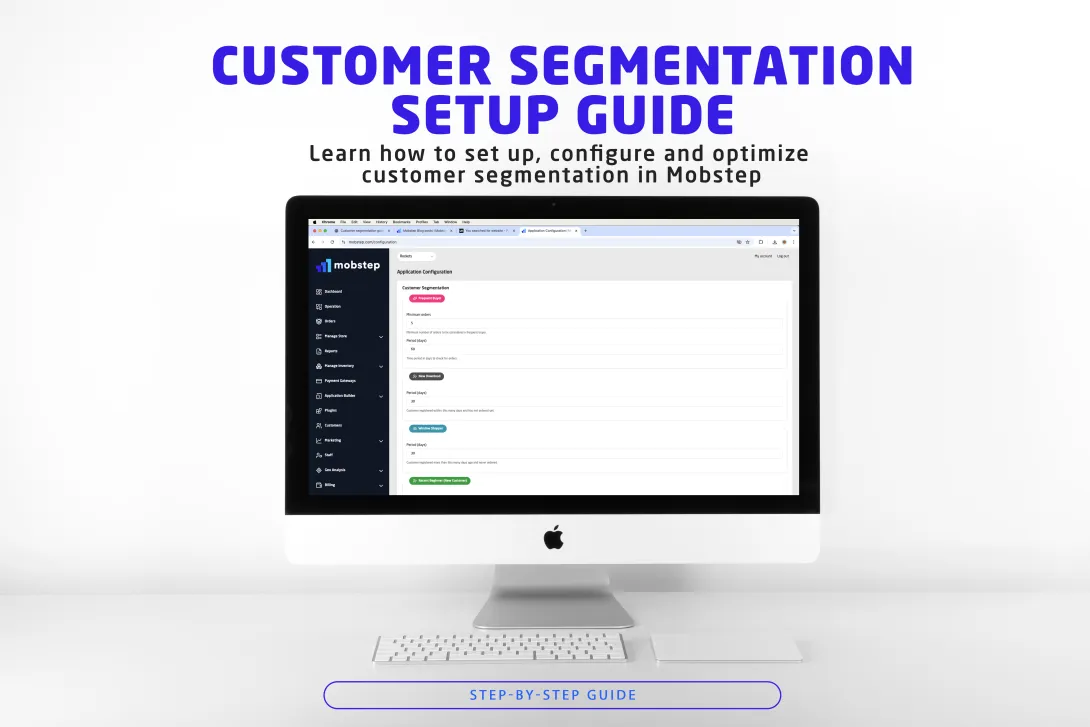
Customer segmentation is the backbone of modern personalized marketing. In Mobstep, segmentation helps you slice your customer base into meaningful groups—based on behavior, purchase patterns and engagement—so you can send the right message to the right people at the right time.
This guide explains how Mobstep's segmentation works, walks you through configuration step‑by‑step, and gives practical examples, marketing tactics and troubleshooting tips so you can get measurable results fast.
Why customer segmentation matters (quick wins)
- Personalized marketing: Increase conversion by targeting offers to the users most likely to buy.
- Higher ROI: Spend your marketing budget where it pays off most.
- Improved retention: Identify at‑risk segments and take action before customers churn.
- Better customer experience: Tailor messages and product recommendations to each segment.
- Data‑driven decisions: Base promos and product launches on real customer behavior.
How Mobstep segmentation works (overview)
Mobstep provides 11 predefined segments that cover common merchant needs. Each segment is driven by simple, configurable rules (order counts, time windows, average order value and registration age). You can keep defaults or tweak thresholds to match your business cycle and product mix.
Where to find segmentation settings in Mobstep
- Log in to your Mobstep dashboard.
- Go to Settings → Application Configuration.
- Scroll to the Customer Segmentation section.
- Edit parameters for each segment and click Save.
Tip: Changes may take a few minutes to apply while the system recalculates segments.
The 11 segments — what they mean and how to use them
Below is a short description of each segment plus configuration advice and marketing playbooks you can use right away.
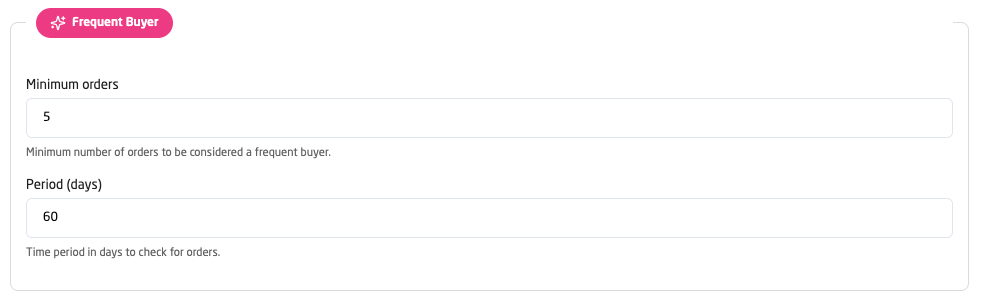
1. Frequent Buyer (high purchase frequency)
Who: Customers who purchase often within a short time window. Why it matters: They provide predictable recurring revenue. Config tip: For FMCG set 5–7 orders in 30 days; for durable goods allow 2–3 orders in 90 days. Marketing plays: Loyalty bonuses, subscription offers, VIP access.
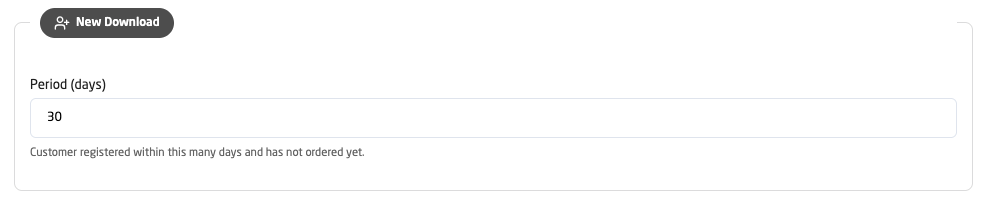
2. New Download (recent registrants with no purchase)
Who: Users who installed/registered but haven’t bought. Why it matters: High conversion potential with a small nudge. Config tip: 7–30 days depending on how quickly your typical user converts. Marketing plays: Welcome series, first‑order discounts, guided onboarding.
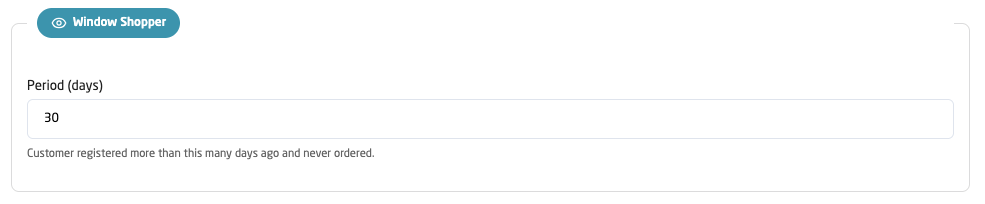
3. Window Shopper (long‑time browsers, no purchase)
Who: Registered users who browse but haven’t ordered. Why it matters: Interest is present — convert with urgency or social proof. Config tip: 30–90 days since registration with zero orders. Marketing plays: Abandoned browse reminders, social proof and time‑limited offers.
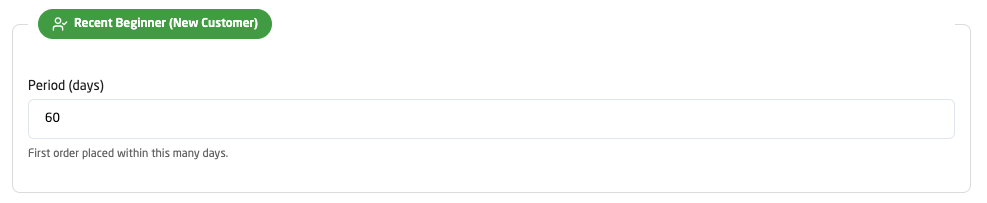
4. New Customer (first‑time buyers)
Who: Customers who placed their first order recently. Why it matters: Early engagement dictates lifetime value. Config tip: 30–90 days since first order. Marketing plays: Thank‑you messages, second‑purchase incentives, review requests.
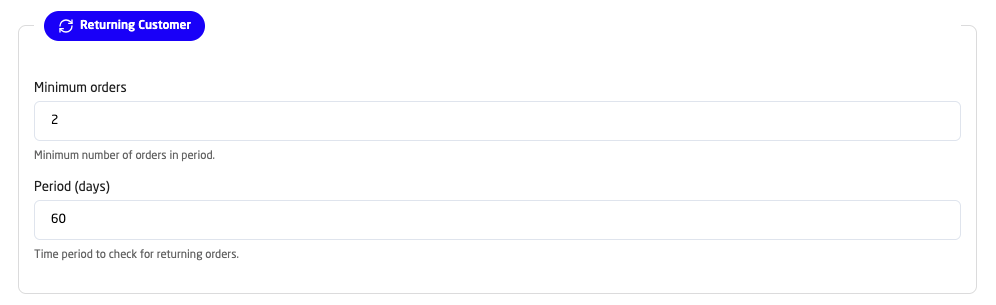
5. Returning Customer (repeat buyers)
Who: Customers who made multiple purchases recently. Why it matters: More likely to stay and spend more. Config tip: 2–5 orders in a rolling 30–90 day period. Marketing plays: Cross‑sells, bundle offers, loyalty enrollment.
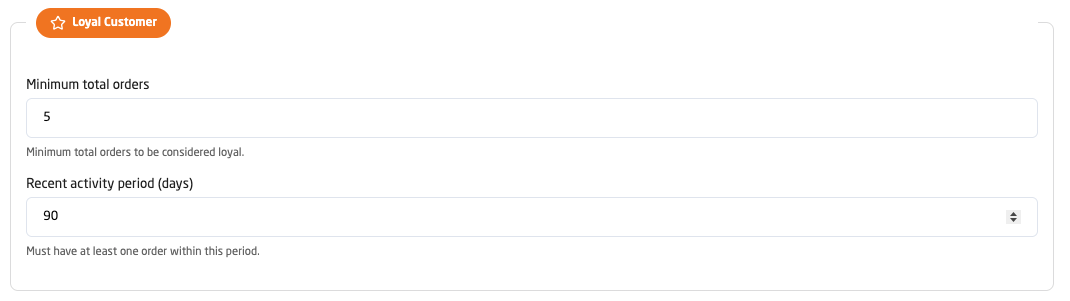
6. Loyal Customer (high lifetime value + recent activity)
Who: Long‑term customers with consistent purchases and recent activity. Why it matters: Highest LTV and referral potential. Config tip: 5+ lifetime orders and activity within the last 60–120 days. Marketing plays: VIP programs, early access, premium support.
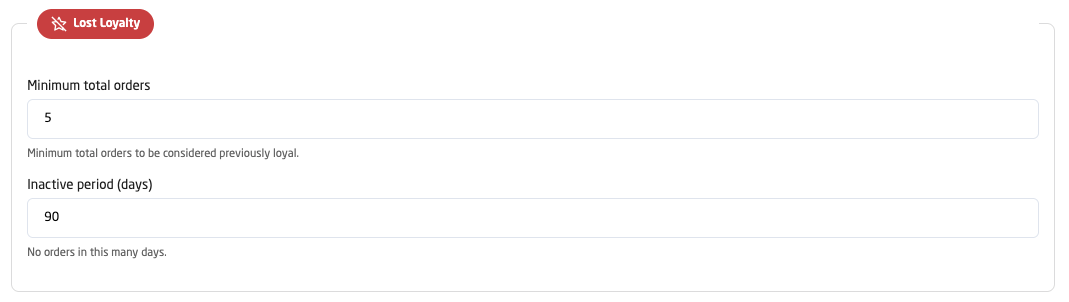
7. Lost Loyalty (previously loyal but inactive)
Who: Formerly loyal customers who stopped buying. Why it matters: High recovery ROI if reactivated. Config tip: 5+ lifetime orders and no orders in 60–180 days. Marketing plays: Win‑back with strong incentives and survey to learn why.
8. One‑Time Wonder (single purchase, no repeat)
Who: Customers with only one historical order. Why it matters: Converting them to repeat buyers boosts retention. Config tip: 1 order and no activity for 30–120 days. Marketing plays: Personalized follow‑ups, complementary product bundles.

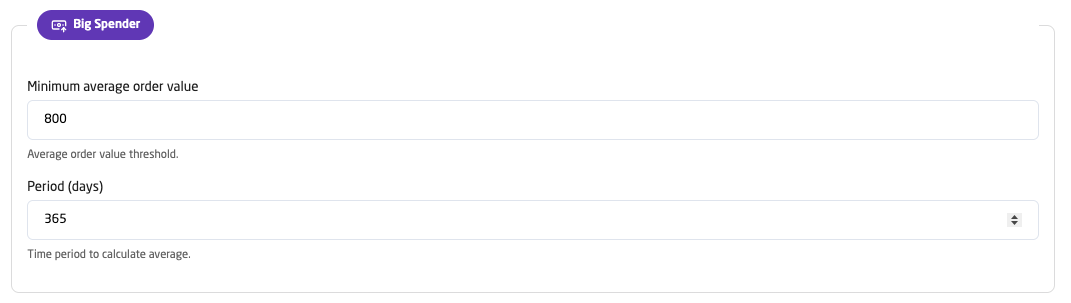
9. Big Spender (high average order value)
Who: Customers whose average basket value is above a threshold. Why it matters: They drive disproportionate revenue. Config tip: Set threshold to 2–3× your mean AOV and use a 180–365 day lookback. Marketing plays: Premium offerings, exclusive events, concierge experiences.
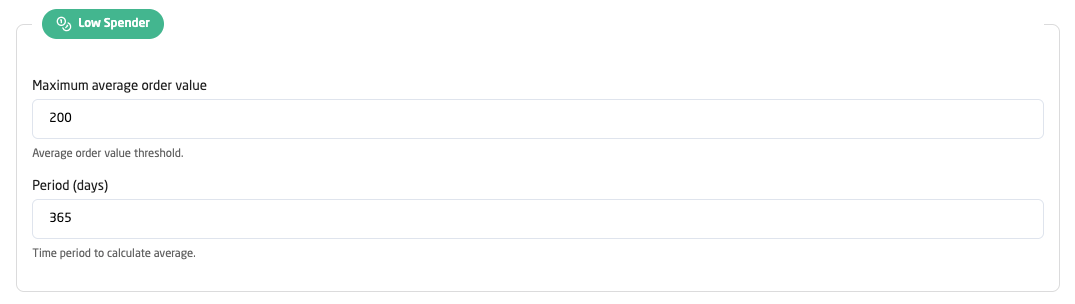
10. Low Spender (price‑sensitive shoppers)
Who: Customers with below‑average order values. Why it matters: Opportunity to increase basket size and margins. Config tip: Threshold at ~50–70% of your average order value. Marketing plays: Bundles, spend‑to‑save campaigns and tiered discounts.
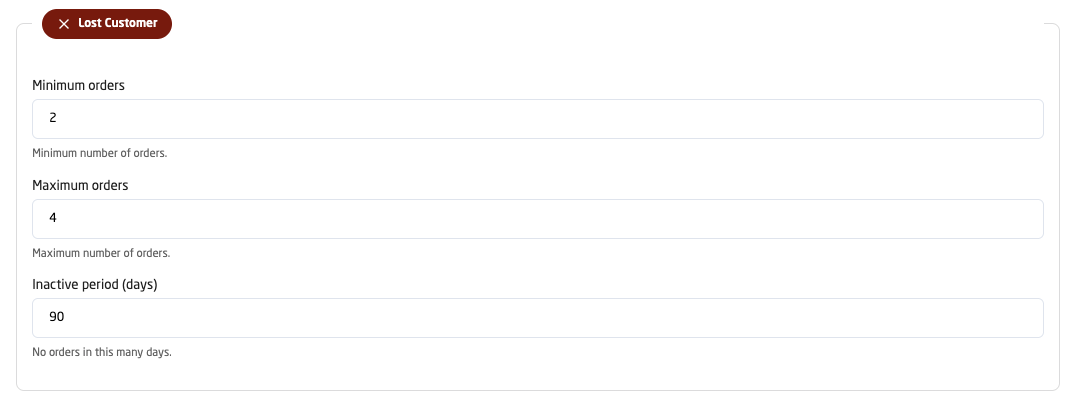
11. Lost Customer (small‑sample churn)
Who: Customers who bought a few times (2–4) and then stopped. Why it matters: Early reactivation is often inexpensive and effective. Config tip: 2–4 orders and no orders for 60–120 days. Marketing plays: Moderate incentives, product highlights and social proof.
Quick configuration checklist (step‑by‑step)
- Start with defaults for 30 days.
- Run baseline campaigns to gather performance data.
- Review segment sizes and campaign conversion rates weekly.
- Adjust 1–2 thresholds by small increments (10–20%).
- Reassess quarterly and before major seasonal events.
Scenario presets you can copy (examples)
Include ready‑to‑use presets for common verticals (fast food, fashion, grocery, electronics). These presets help you get started and can be tuned later.
- Fast Food: Frequent Buyer = 8 orders / 30 days — Big Spender = AOV 150 / 180 days.
- Fashion: Frequent Buyer = 4 orders / 90 days — Big Spender = AOV 600 / 365 days.
- Grocery: Frequent Buyer = 6 orders / 45 days — Low Spender = AOV 100 / 180 days.
- Electronics: Frequent Buyer = 3 orders / 120 days — Big Spender = AOV 1500 / 365 days.
(Full presets included below in the article body.)
Using segments in campaigns and vouchers
How to target segments in vouchers:
- Go to Vouchers → Create New Voucher.
- Choose Target Type = Customer Segment.
- Pick one or more segments and save.
Suggested offers by segment (short): loyalty rewards for Frequent Buyers, heavy win‑back discounts for Lost Loyalty, first‑order discounts for New Download.
Measuring success: KPIs & monthly checklist
KPIs to track: segment size, revenue by segment, AOV, conversion rate, CLV, and movement between segments.
Monthly checklist: review distribution, campaigns, revenue contribution, and customer flow between segments.
Troubleshooting common issues
- Too many customers in one segment? Tighten criteria.
- Segment too small? Relax criteria or expand the lookback window.
- Customers in multiple segments? Normal — combine segments for hyper‑targeting.
- New segments empty after change? Check thresholds and allow 24–48 hours for recalculation.
Advanced tips for power users
- Segment combinations: Combine segments (e.g. Loyal + Big Spender) for VIP campaigns.
- Seasonal tuning: Adjust thresholds before major sales and holidays.
- A/B testing: Run different offers to the same segment to find the most effective creatives and discounts.
- Predictive use: Engage customers before they slip categories (Returning → Lost).
Ready to boost retention and revenue? Head to your Mobstep dashboard now, configure your segments, and launch a segmented voucher to see an immediate lift.