
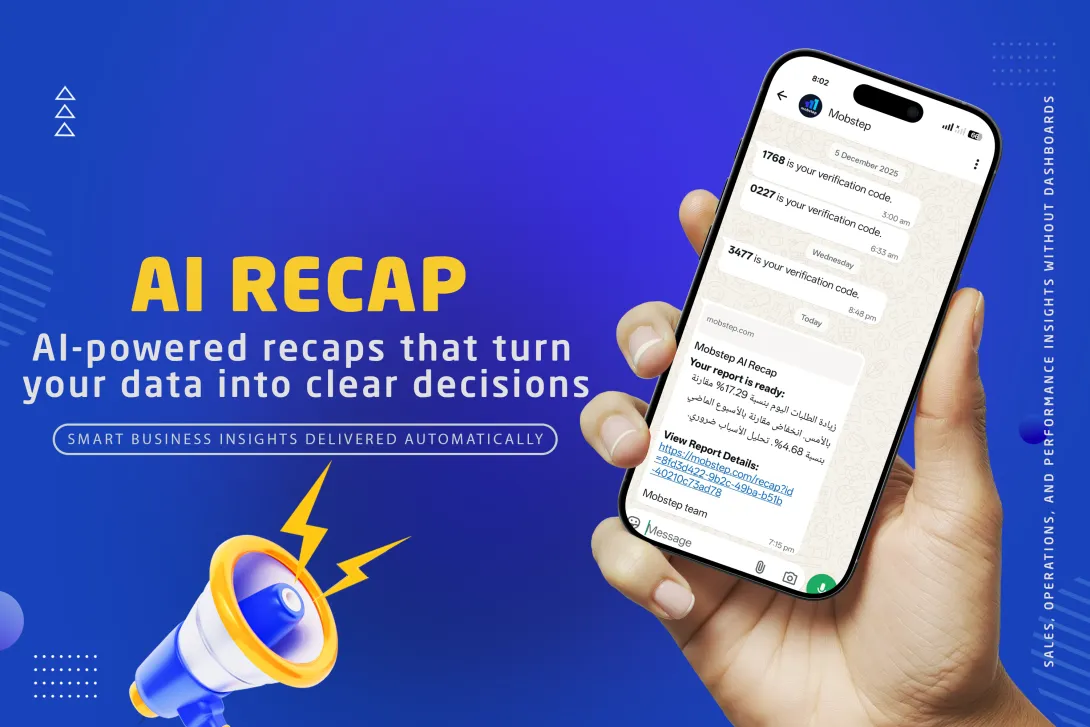
Introducing Mobstep AI Recap — a new AI-powered feature that automatically turns your business data into clear insights and smart reports, delivered directly to you every day.
Running a restaurant or e-commerce business today means dealing with huge amounts of data — orders, customers, promotions, delivery performance, and more. The challenge isn’t collecting data anymore. The real challenge is understanding it and acting on it quickly.
What is Mobstep AI Recap?
AI Recap is an intelligent reporting feature inside the Mobstep platform that analyzes your store’s performance and sends you easy-to-understand summaries and detailed reports — without dashboards, spreadsheets, or manual work.
Instead of asking:
“Why did sales drop today?”
“Which items are selling the most?”
“Are discounts actually working?”
“Is delivery performance affecting orders?”
AI Recap answers these questions for you — automatically.
How AI Recap Works
AI Recap works in three simple steps:
Collects your store data
Orders, customers, products, discounts, loyalty activity, and delivery performance.Analyzes it using AI
The AI looks for trends, changes, comparisons, and unusual patterns — just like a business analyst would.Sends you a smart recap
A short mobile summary with the most important highlights
A full visual report with insights and recommendations
All reports are sent automatically at the time you choose.
How to Enable & Configure AI Recap
Getting started with Mobstep AI Recap takes only a few minutes. No technical knowledge is required.
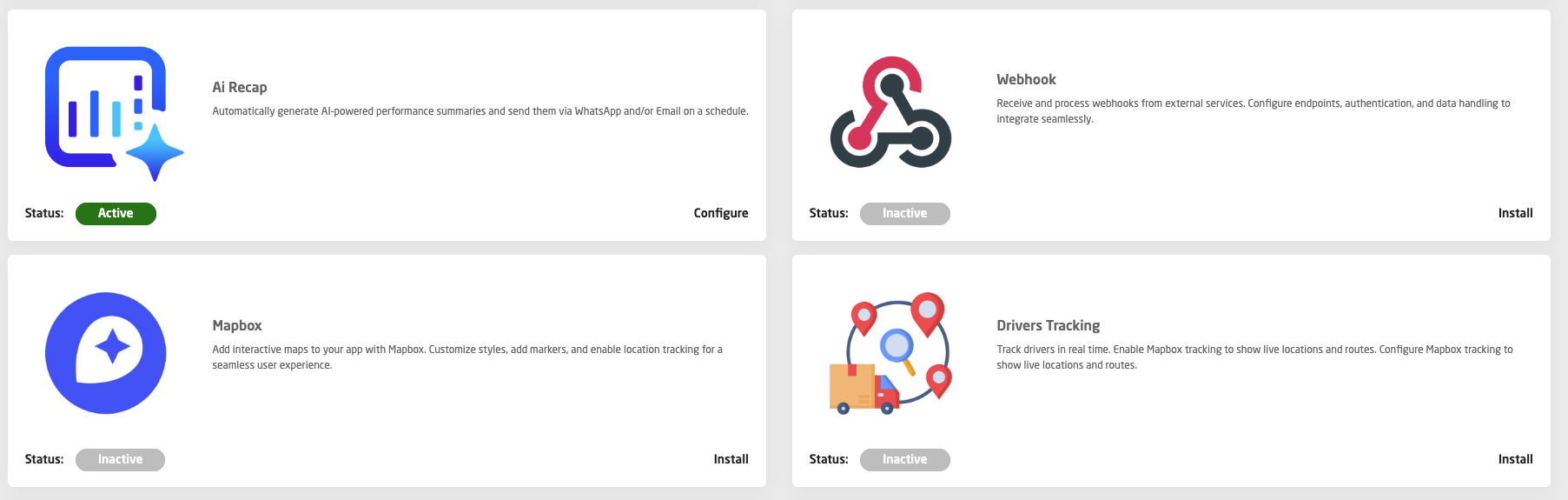
Step 1: Open Plugins
From your Mobstep dashboard:
Once enabled, AI Recap becomes available inside your store tools.
Step 2: Create Your First Report
After enabling the plugin:
Open AI Recap
Click Create New Recap
Give your report a clear name
Example: “Daily Sales Summary” or “End-of-Day Operations Report”
This helps you easily manage multiple reports later.
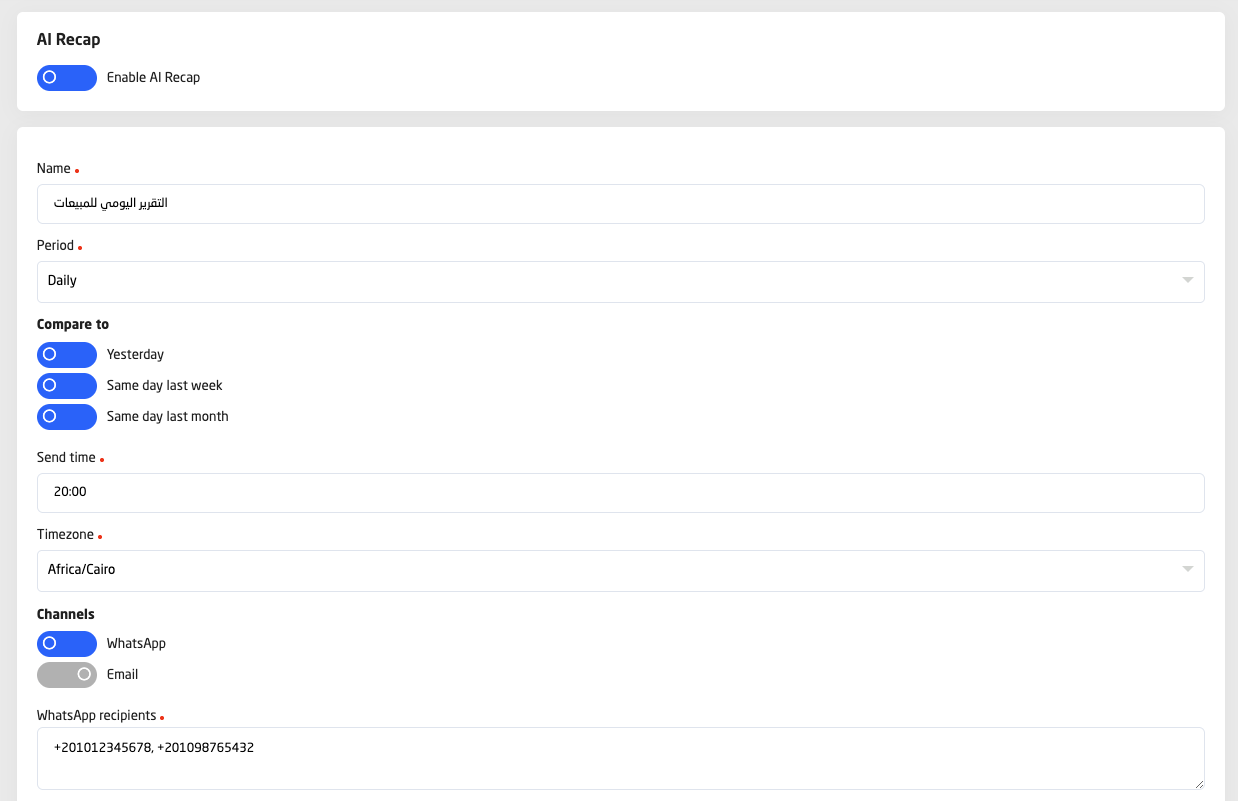
Step 3: Choose When the Report Is Sent
Select:
Report period (daily, weekly, or monthly)
Time to receive the recap
Example: early morning before opening, or after store closing
This allows the report to match your daily workflow.
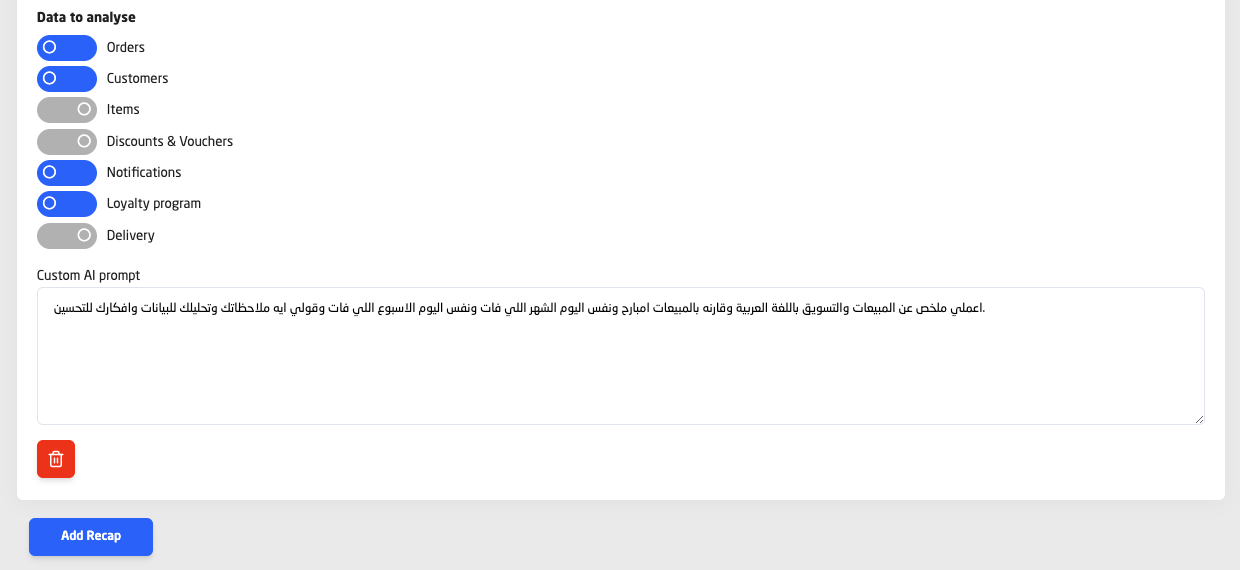
Step 4: Select What the Report Should Analyze
Choose the business areas you want AI Recap to focus on, such as:
Orders and sales performance
Customers and returning behavior
Products and best sellers
Discounts and promotions
Loyalty activity
Delivery and operations
You can create different reports for different purposes.
Step 5: Define the Report Focus
AI Recap allows you to describe what you want to learn from the data.
Examples:
Overall business performance
Sales growth and comparison to previous periods
Operational efficiency and delivery quality
Marketing and promotion impact
The AI uses this guidance to generate insights that matter to you.
Step 6: Choose Who Receives the Report
Select the recipients who should receive the recap:
Business owners
Managers
Operations or marketing teams
Each report can have its own audience.
Step 7: Save & Activate
Once saved:
The report runs automatically
Insights are generated on schedule
Recaps are delivered without any further action
You can edit, pause, or duplicate reports at any time.
Best Practice: Use Multiple Reports
Most businesses benefit from having more than one recap:
Daily summary for owners
Operations recap for store or delivery teams
Marketing recap after promotions
Weekly performance review for planning
AI Recap is designed to scale with your business as it grows.
What Kind of Insights Do You Get?
AI Recap doesn’t just show numbers — it explains what they mean.
Examples of insights:
Sales increased today because lunch orders grew by 22%
A specific item is driving most of today’s revenue
Weekend orders behave differently than weekdays
Discounts boosted orders but reduced average order value
Delivery delays are affecting customer satisfaction
One branch is underperforming compared to others
Each report ends with clear suggestions on what to do next.
Designed for Restaurant Owners & Operators
AI Recap is built specifically for restaurant and food business operations — from single locations to multi-branch brands.
For Owners & Executives
Daily performance overview
Revenue trends and growth indicators
Key highlights without operational noise
For Operations Managers
Order flow and fulfillment performance
Delivery and preparation efficiency
Inventory and stock warnings
For Marketing Teams
Campaign and discount effectiveness
Customer behavior and loyalty engagement
Best times and offers to promote
Real-Life Examples
Example 1: Daily Morning Recap for a Restaurant Owner
Every morning, the owner receives:
Yesterday’s total sales
Order count and average order value
Top-selling items
One or two important observations
Why it matters:
The owner starts the day informed — without opening any dashboards.
Example 2: Operations Recap for a Delivery-Focused Brand
At the end of the day, operations receive:
Order completion and cancellation rates
Delivery performance summary
Warnings about delays or bottlenecks
Why it matters:
Issues are spotted early and fixed before they affect tomorrow’s sales.
Example 3: Marketing Performance Recap
After running a promotion, the marketing team receives:
How many customers used the offer
Impact on revenue and order size
Which products benefited most
Why it matters:
Marketing decisions become data-driven instead of guesswork.
Flexible Reports for Every Business
With AI Recap, you can create multiple reports, each with:
Its own schedule (daily, weekly, monthly)
Its own focus (sales, operations, marketing)
Its own recipients
One business can have:
A daily executive summary
A weekly performance review
A campaign effectiveness report
A weekend vs weekday comparison
All fully automated.
Why AI Recap Is Different
✔ No dashboards to manage
✔ No manual analysis
✔ No technical setup
✔ No data interpretation needed
Just clear insights, delivered automatically, exactly when you need them.
AI Recap acts like a digital business analyst that works 24/7 — analyzing your data and telling you what matters most.
Built Inside the Mobstep Platform
AI Recap is fully integrated into Mobstep, using the same data your business already generates every day.
There’s nothing new to install, and no extra work for your team.
Enable it, choose what you want to receive, and let AI do the rest.
Final Thoughts
Mobstep AI Recap is designed to help restaurant owners and operators:
Make faster decisions
Spot problems early
Understand performance clearly
Grow with confidence
If you’re running a food business and want insights instead of raw numbers, AI Recap is built for you.
AI Recap — because smart decisions start with smart insights.